
Captions and Transcripts
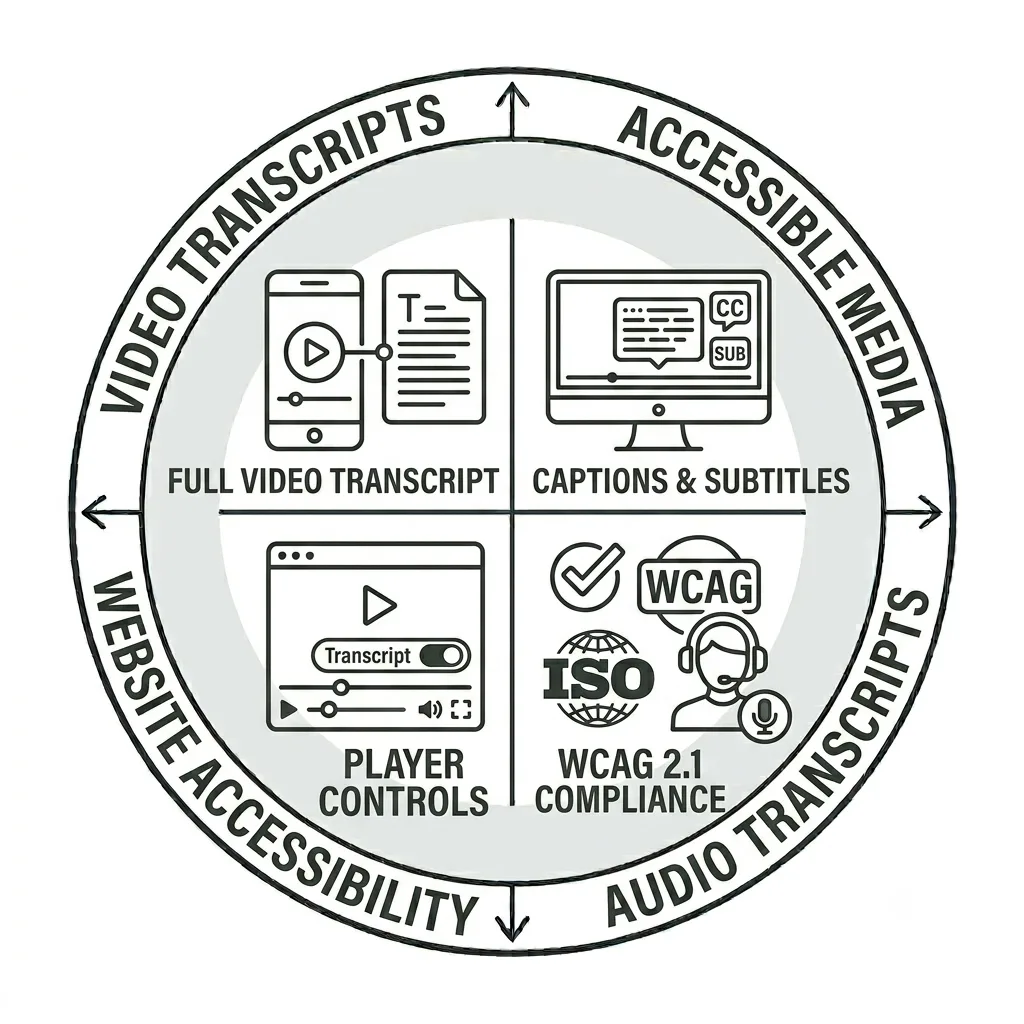
Improving Video Accessibility with Captions and Transcripts
How often have you watched a TV show, YouTube video, or movie and turned on closed captions to better follow the dialogue—or because you’re watching with the sound muted? Captions have become an increasingly common way for people to engage with video content, making it important to ensure that your media includes the necessary captions and transcripts to support an accessible experience.
Below, we’ll show you how to identify potential issues with media files embedded on your site and the steps you can take to make sure your video and audio content is accessible.
Captions and Transcripts Video Tutorial
Captions and transcripts have become increasingly important as the way we consume media continues to change. Ensuring your video and audio files include accurate captions and transcripts helps make your content accessible to all users. In this tutorial, we’ll walk through how to identify files that are missing captions or transcripts and the steps you can take to address them.
Defining Captions and Transcripts
Captions are time-synced text versions of the audio part of a television show, movie, or digital presentation. Transcripts are text-based versions of the spoken part of tv, movies, or digital presentations, and sometimes have time markers included. All video and audio should include appropriate and meaningfully accurate captions and/or transcripts. Video usually requires captions, and audio-only platforms often only allow for transcripts rather than captions.
Captions and transcripts are necessary to give equitable access to people who are d/Deaf or hard of hearing. Captions support many other people as well: those with a variety of disabilities, those who are neurodivergent, people learning a language, and those who can’t listen to audio because of environmental or connectivity issues.
Working with Captions and Transcripts in Siteimprove
Use the step-by-step guide below to learn how to review video captions and transcripts on your site. Please note that this guide is intended as a supplemental resource and is not a substitute for formal Siteimprove training offered by UMC and Information Systems.
If you have access to Siteimprove but have not yet completed formal training, you can schedule a training session. We’ll help you become familiar with the platform and ensure you have the knowledge and resources needed to use it effectively.
Accessibility Report Dashboard
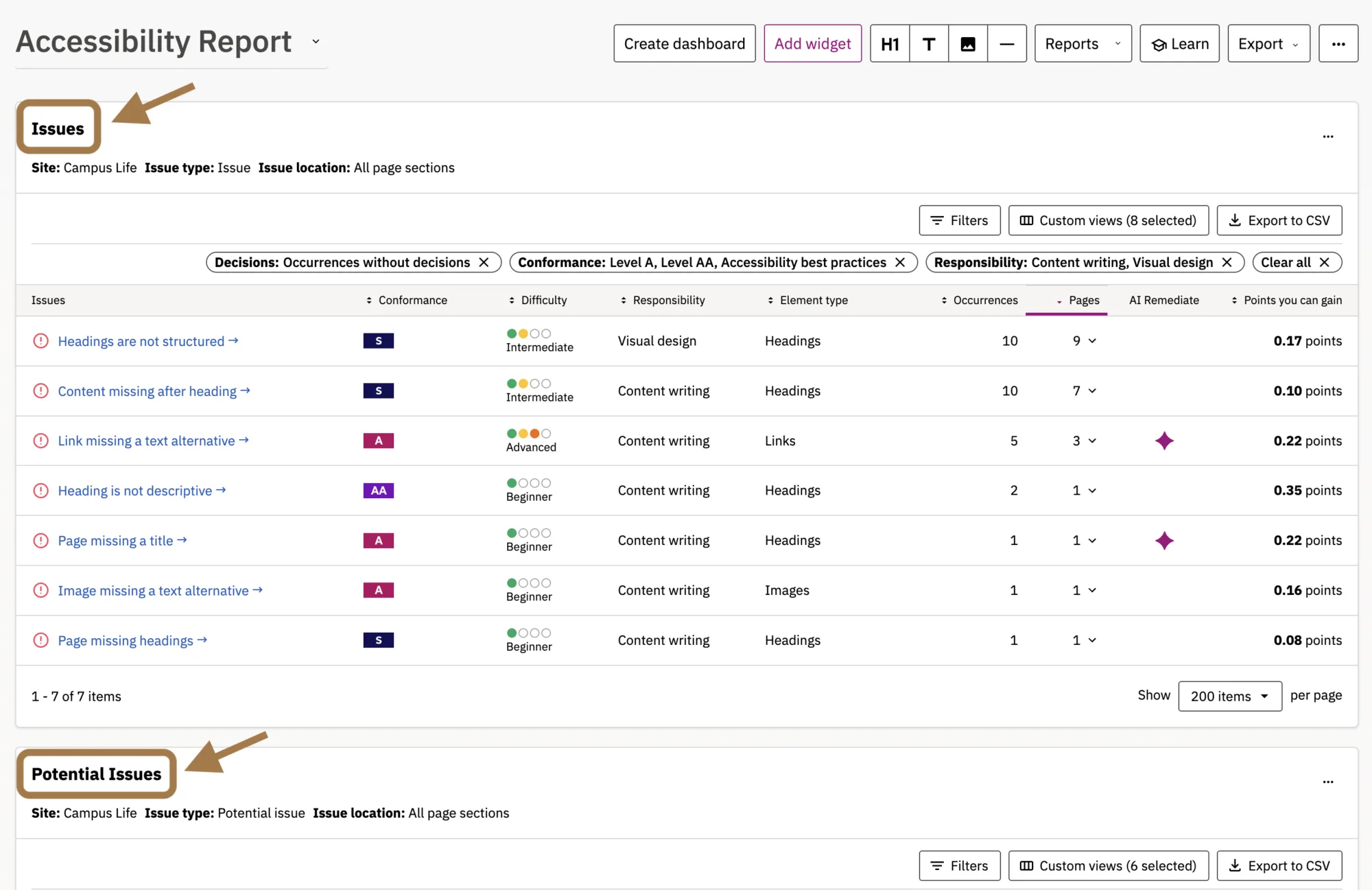
Once you’re logged into Siteimprove, choose the site you want to work on and then select the Accessibility Report Dashboard from the dropdown menu.
Any accessibility issues that appear on your site will appear either within the Issues or Potential Issues reports. (PDFs are listed separately along with their accessibility information.)

Identifying Caption and Transcript Issues
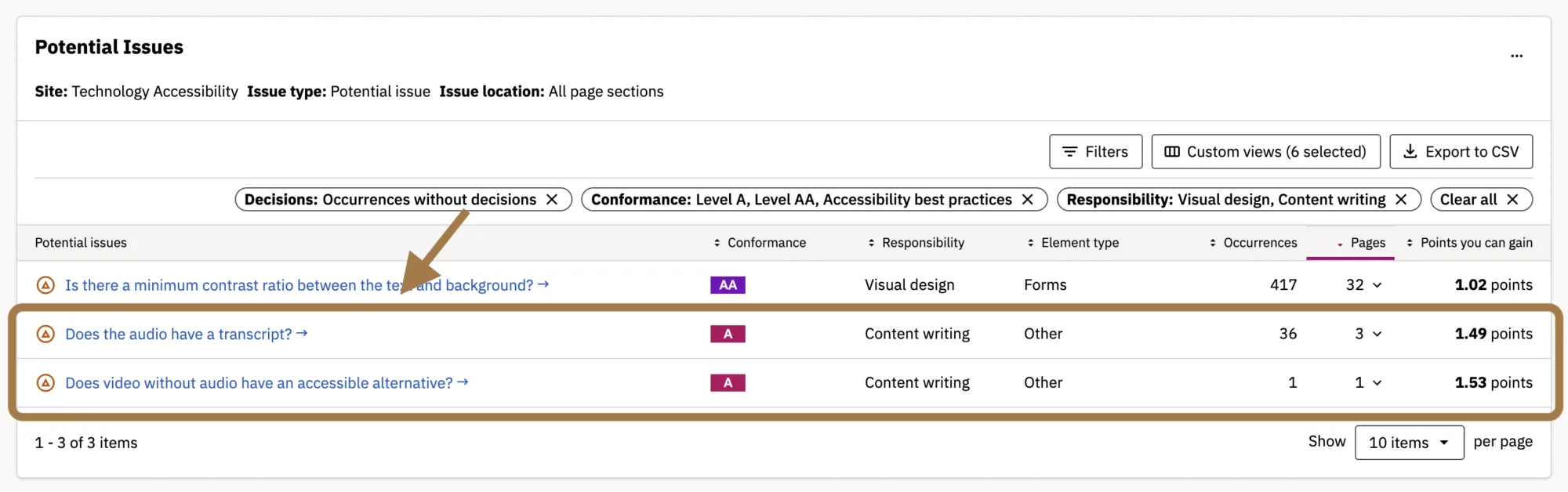
Within your Issues or Potential Issues dashboard, you may see issues relating to missing captions or transcripts for audio or video files. These potential issues require a manual review. These issues may be labeled as:
- Does video without audio have an accessible alternative?
- Does the audio have a transcript?
- Does this video have captions?
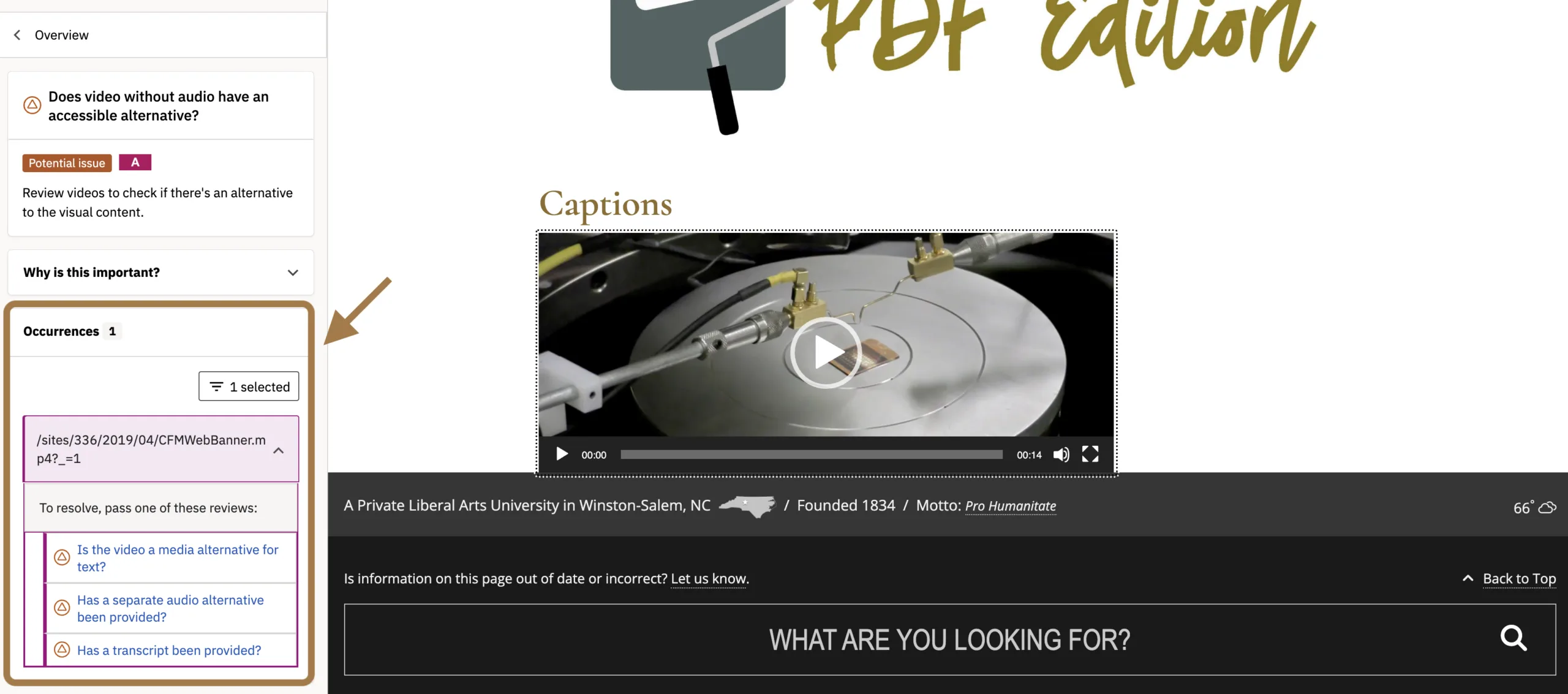
In this tutorial we’re going to explore “Does video without audio have an accessible alternative?” and review what steps can be taken to resolve this issue.
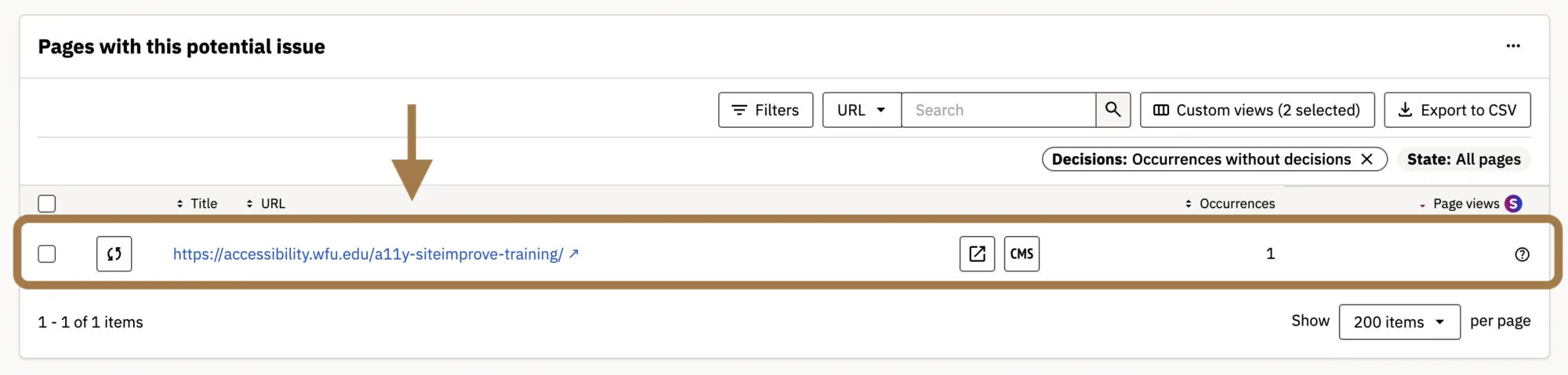
Once selected, you will be redirected to a screen that shows you the URL of the page (or pages) that have this issue.
Affected Pages
Here you’ll see all pages on your site that have been flagged for not having a caption or transcript added on a media file.
Select a page to identify what file this issue occurs on and determine how to remediate the problem.
Reviewing the Issue
A new tab will open and you’ll be redirected to a screen that loads the page in the Siteimprove interface with the media file that doesn’t have a caption or transcript added.
In the left panel, you’ll find an overview explaining why the issue matters, how many times it occurs on the page, and a review prompt for each occurrence. In the example below, the reviewer is asked to choose between two options: “Have captions been provided?” or “Is the video a media alternative for text?” Select the option that best fits the content, then work through the remaining prompts to evaluate the issue.
As you review potential issues related to captions and transcripts, you may discover that your video or audio content needs these accessibility features added. If so, you’ll need to create the appropriate captions or transcript and add them through your media hosting platform. Be sure you’re logged in to both your media platform and your website so you can make any necessary updates.
To fix additional caption and transcript issues, go back to the Accessibility Report and select the next issue or to the page list to select the next URL for the same issue.
Additional Support
There are a number of platforms and features that a site editor might use to connect audio or video to their site. And there are many great tools available at Wake Forest for DIY creation of captions and transcripts, as well as service options.
For more on captions, transcripts, and alternatives to video and audio media, please contact the IS Technology Accessibility Team at .
Your Siteimprove Toolbox

Quality Assurance
Discover the steps you can take to create a more effective, engaging, and user-friendly website experience for everyone.

Analytics
A successful content strategy starts with understanding how your website is performing and what your audience is looking for.

Accessibility
Accessibility isn’t just about what happens behind the curtain—it’s about the experience everyone has in front of it.

SEO & Search
Understanding how visitors find your website and what they want is an essential step in developing an effective content strategy.
Online Presentations
Whether you’re planning to attend an upcoming digital strategy presentation or want to revisit a previous session, explore the topics we cover and resources we share.
Digital Strategy
A strong digital strategy serves as the foundation for your website and every aspect of your digital marketing and communications. Here’s what you need to know.
Want to Chat?
We’re here to support your digital strategy efforts. Reach out with questions or schedule a consultation to discuss your website strategy and explore opportunities for improvement.