
Entries & Exits
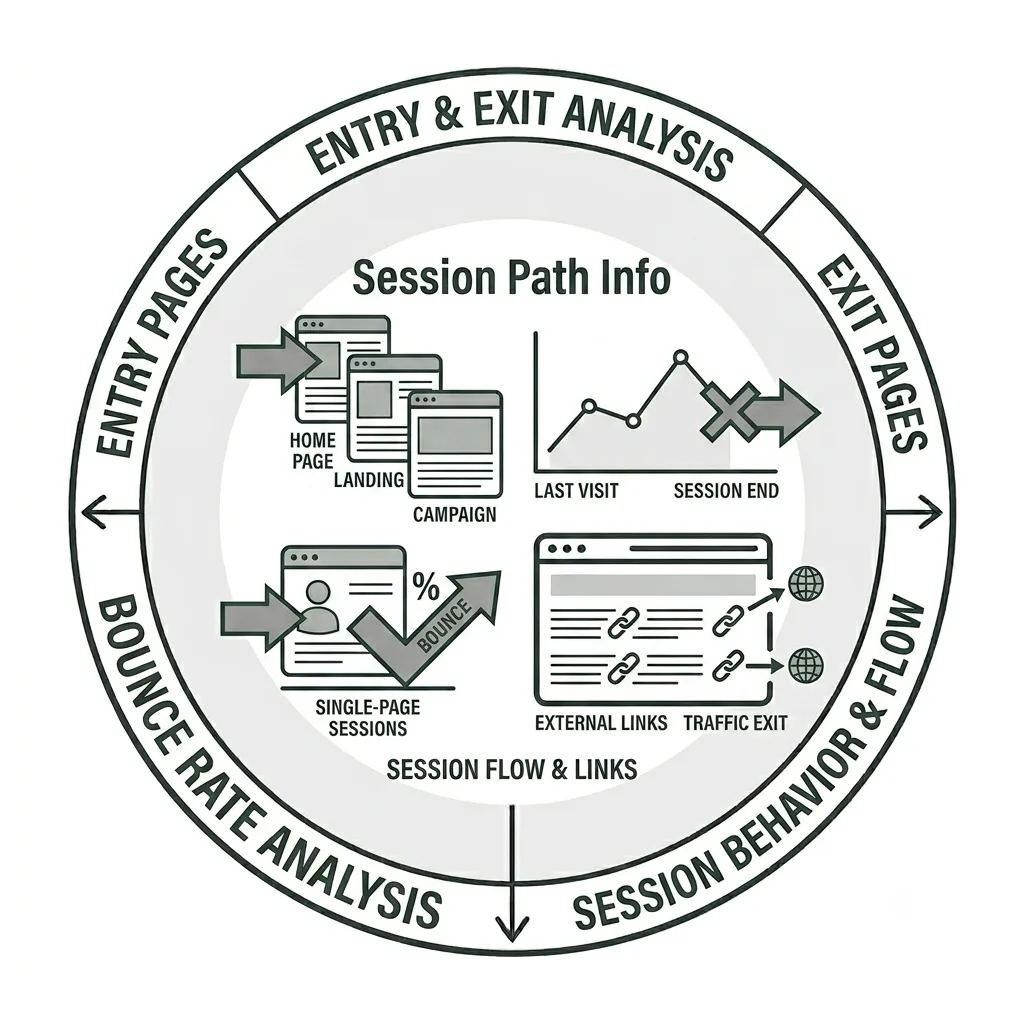
Know where visitors enter and leave your site.
Entry and exit pages can reveal much more about visitor interests than simply where they begin and end their sessions on your site. As we’ll explore below, this data can provide valuable insight into which content should be prioritized and optimized for both people and search tools.
Note: This tutorial provides an overview of the Entries and Exits feature in Siteimprove’s Analytics module and may not cover every available feature or capability.
Entries & Exits
In this tutorial, we’ll explore Entry and Exit pages in the Siteimprove Analytics module and why understanding where visitors enter and leave your site can provide valuable insights for your overall content strategy.
Entry Pages
An entry page is the first page a visitor sees when arriving on your website. For visitors who come through direct traffic, the homepage is often the entry page because it is the most direct route to the site. Bookmarks, email communications, social media posts, and other channels often link directly to specific pages on your website.
Visitors increasingly arrive on pages deeper within a website, often through search engines or AI-powered tools that direct them to the information they are seeking. It is also important to consider people who find information about your organization without ever visiting your website, particularly as search engines and generative AI increasingly provide answers directly within search results and other platforms.
However, this does not diminish the value of identifying your site’s most common entry pages. Understanding where visitors begin their journeys can provide valuable insights for your content strategy. These pages represent an important opportunity to evaluate whether your content is meeting visitor needs, helping them complete key tasks, and supporting the goals you have established for your site.
Exit Pages
An exit page is the last page a visitor views before leaving your website. Siteimprove can show how often a page serves as an exit page, the total number of visits it receives, and its bounce rate.
If a significant number of visitors are leaving your site from a page where you would prefer them to continue exploring, consider reviewing the page’s content for clarity and easy-to-find call-to-actions. You may be able to improve engagement by adding or strengthening calls to action that guide visitors toward another relevant action or destination.
Outbound Links
Outbound links are external links on your website that direct visitors to pages outside of your site. When a visitor clicks one of these links, they leave your website for another domain.
In Siteimprove, any URL that points outside your subdomain—for example, from your site to another domain or subdomain—is considered an external domain. Some examples include:
- anothersite.wfu.edu
- PDF or document uploaded to your Media Gallery
- A site outside of the wfu.edu domain
Review this data to understand how often visitors download PDFs or leave your site to complete an intended task, such as submitting a registration form or viewing an online document.
Bounce Rate
Bounce rate measures the percentage of visits in which a visitor views only one page before leaving your website. A high bounce rate does not necessarily indicate a problem, however. Visitors may arrive through a search engine or another source, find exactly the information they need, and leave without visiting another page.
In other cases, a high bounce rate may indicate that visitors are not finding what they expected. Poor design, disorganized or missing content, unclear messaging, and frustrating navigation can all cause visitors to leave after viewing only one page.
For this reason, bounce rate should be considered alongside other metrics and insights. A high bounce rate on a page that successfully answers a visitor’s question may be perfectly acceptable, while a high bounce rate on a page intended to guide visitors toward another action may signal an opportunity to improve the content or user experience.
When is a high bounce rate a concern?
A high bounce rate is not inherently negative. Its significance depends on the purpose of the page and what you want visitors to do next.
High bounce rates may be a concern on:
- Your homepage, where visitors typically need to explore additional content.
- Pages designed to guide visitors through your site, where visitors are expected to continue to another page.
- Pages with on-page tasks, where visitors are expected to complete an action that keeps them engaged with the page.
High bounce rates may be perfectly acceptable on:
- Pages where the primary call to action directs visitors to another site to complete a task.
- Pages where completing a task redirects visitors outside your website.
- The elementary school’s kickball field
Your Siteimprove Toolbox

Quality Assurance
Discover the steps you can take to create a more effective, engaging, and user-friendly website experience for everyone.

Analytics
A successful content strategy starts with understanding how your website is performing and what your audience is looking for.

Accessibility
Accessibility isn’t just about what happens behind the curtain—it’s about the experience everyone has in front of it.

SEO & Search
Understanding how visitors find your website and what they want is an essential step in developing an effective content strategy.
Online Presentations
Whether you’re planning to attend an upcoming digital strategy presentation or want to revisit a previous session, explore the topics we cover and resources we share.
Digital Strategy
A strong digital strategy serves as the foundation for your website and every aspect of your digital marketing and communications. Here’s what you need to know.
Want to Chat?
We’re here to support your digital strategy efforts. Reach out with questions or schedule a consultation to discuss your website strategy and explore opportunities for improvement.