
Visitors
Know Who Your Audience Is
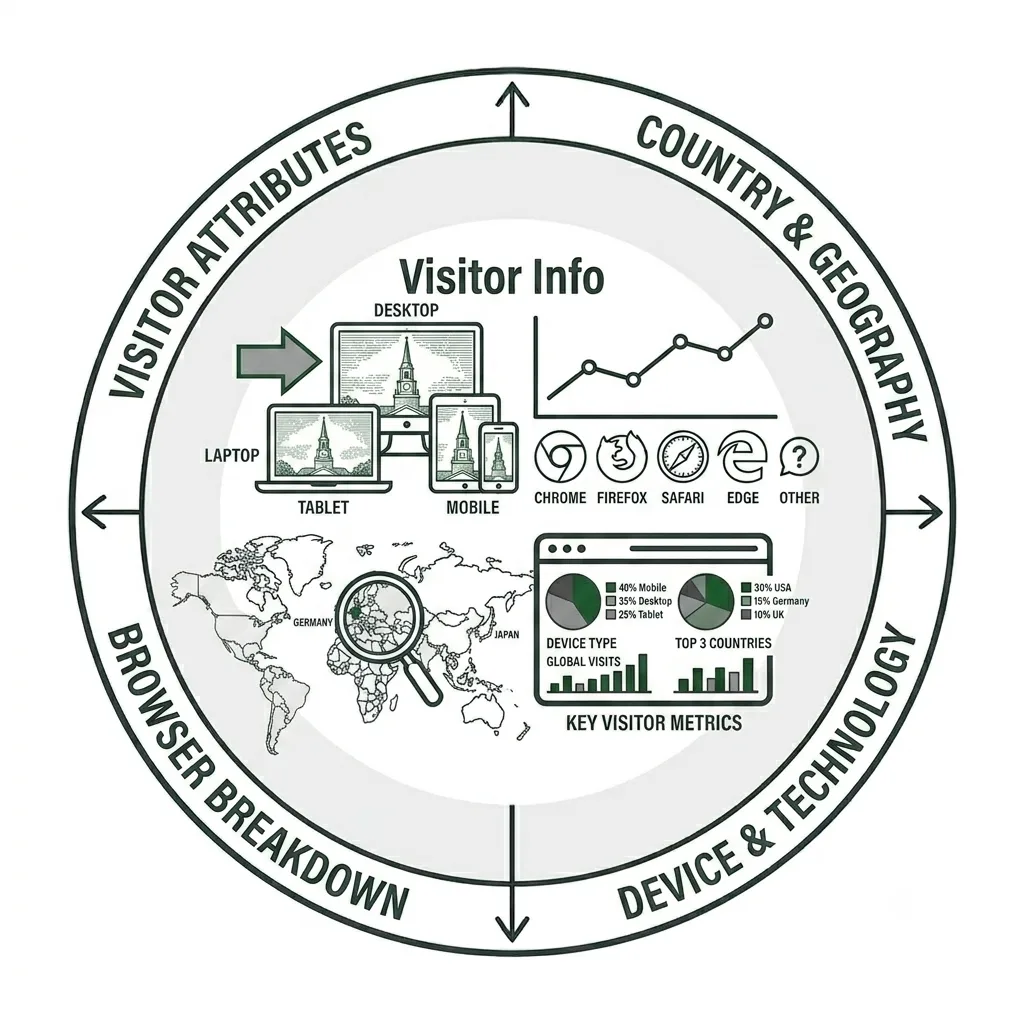
Visitor tracking in Siteimprove provides you with demographic information about who your visitors are and technical information about how they’re accessing your website. Whether you’d like to have a better understanding of what countries they’re visiting your site from, or devices they use to view it, Visitors will provide that info for you.
Note: This tutorial provides an overview of the Visitor feature in Siteimprove’s Analytics module and does not cover every available feature or capability.
Visitors
Siteimprove Analytics provides a wealth of data and insights into how users interact with your website. In this tutorial, we’ll explore Visitor metrics and highlight the key data points to focus on when trying to better understand how visitors are finding and engaging with your content.
Devices
Device type is an important web analytics metric because it provides insight into visitors’ context, behavior, and technical constraints. By segmenting traffic by desktop, mobile, and tablet, you can better understand how visitors access Wake Forest websites—and how their experience may differ across devices.
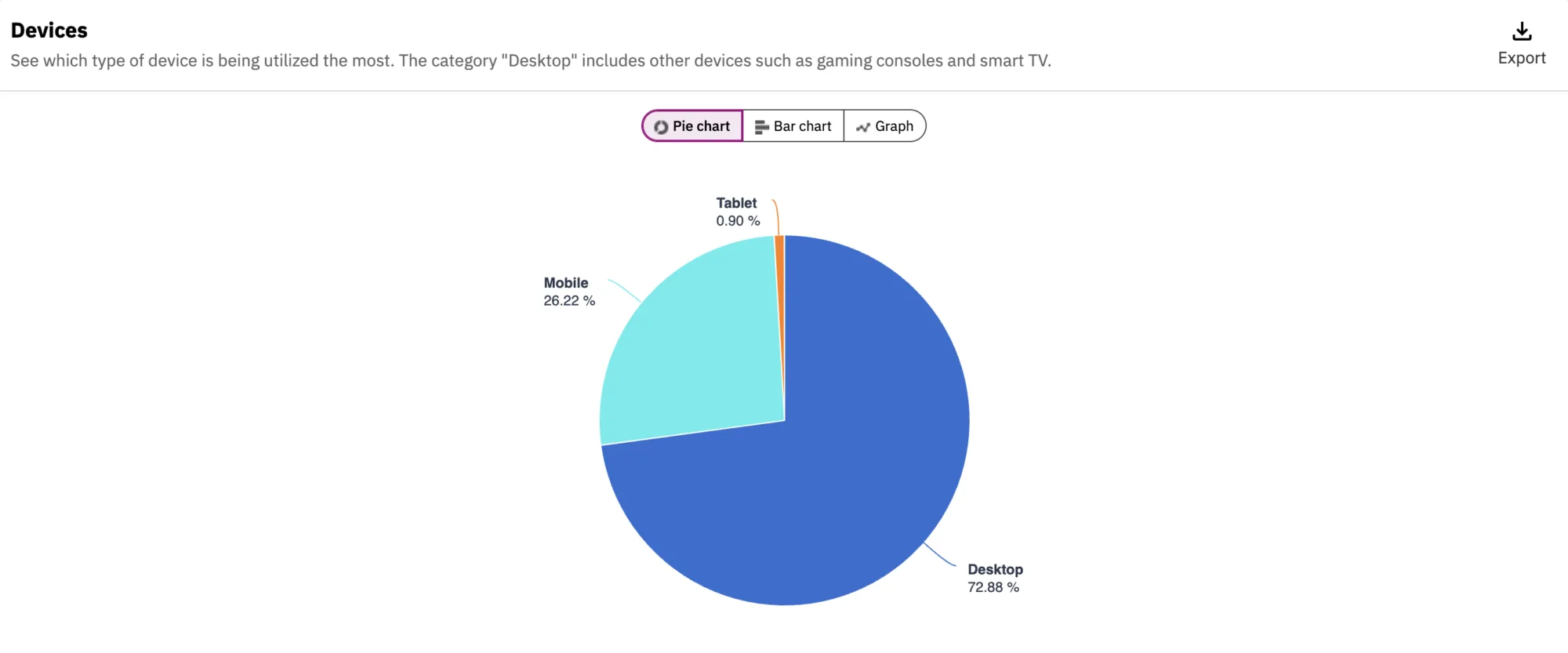
When creating and publishing content, it’s easy to focus primarily on how a page looks on a desktop or laptop screen. However, content that looks great on a larger screen may not translate as effectively to a mobile device with a smaller viewport and vertical layout. While a responsive website theme helps ensure that a page adapts to different screen sizes, it does not guarantee that the content itself will always be easy to read, navigate, or use on mobile devices.
Review your device data to understand how visitors access your site. Although there is no universal benchmark for mobile traffic, a mobile share of more than 40% represents a significant portion of your audience. Regardless of your traffic levels, content should be optimized for all devices—but a high percentage of mobile visitors makes it especially important to test your pages on mobile devices and ensure the content is easy to view and use.
Geographical Data
If you want to learn more about where your visitors are located, the Countries section under Visitors provides geographic insights into your audience. You can see which countries visitors are accessing your site from and, for visitors in the United States, drill down to the state and city level.
This information can also help you evaluate whether content is reaching its intended audience. For example, if you have a page designed for international visitors, you can select that page in the All Pages section under Content and review the geographic data to see whether visitors from other countries are accessing it.
Technical Data
For website editors interested in the technical details of how visitors access their sites, Siteimprove provides several useful metrics, including:
- Operating system
- Browser
- Screen resolution
These metrics can provide valuable insight for website designers and developers who are evaluating technical requirements and improving a site’s WordPress theme. They can also be useful to content creators, particularly when considering how content is displayed across different devices and how visitors using assistive technologies may experience the site.
Your Siteimprove Toolbox

Quality Assurance
Discover the steps you can take to create a more effective, engaging, and user-friendly website experience for everyone.

Analytics
A successful content strategy starts with understanding how your website is performing and what your audience is looking for.

Accessibility
Accessibility isn’t just about what happens behind the curtain—it’s about the experience everyone has in front of it.

SEO & Search
Understanding how visitors find your website and what they want is an essential step in developing an effective content strategy.
Online Presentations
Whether you’re planning to attend an upcoming digital strategy presentation or want to revisit a previous session, explore the topics we cover and resources we share.
Digital Strategy
A strong digital strategy serves as the foundation for your website and every aspect of your digital marketing and communications. Here’s what you need to know.
Want to Chat?
We’re here to support your digital strategy efforts. Reach out with questions or schedule a consultation to discuss your website strategy and explore opportunities for improvement.